- Free Shipping for orders over $249*

- +1 800-943-2341
- Aptika.com


- Aptika.ca

- Currency: USD
 My Account



SignPack 2.0.14
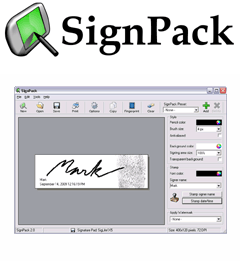
SignPack is an advanced signature software for Windows to capture and secure electronic signatures. SignPack digital signature software supports popular signature pad brands like Topaz and others. Its easy-to-use functions allow you to embed fingerprints and watermarks for optimal security.
SignPack 2 is an advanced signature software for Windows to capture and secure electronic signatures. SignPack digital signature software supports popular signature pad brands like Topaz, Interlink and others. Its easy-to-use functions allow you to save an electronic signature using one of 11 built-in image formats, and embed fingerprints and watermarks for optimal security.
Platform: Windows XP, Vista, Windows 7
Version: SignPack 2.0.14
Updated: January 9, 2012
File size: 12.399 MB
When buying a signature pad, it usually comes with plug-ins to capture signatures in Word, Excel and PDF files, but the quality of the signature is still very limited. What can you do if you need to capture the digital signature and save it into an image format? SignPack electronic signature software is the solution for you. It allows you not only to capture an electronic signature via a user-friendly interface, but also to change pen color and size and then save the digital signature to an image format. You can also send a captured electronic signature directly to the clipboard and paste it into your preferred application when publishing, emailing, and editing for website purposes and much more!
SOHO-iT has developed its own signature capture engine that allows you to capture digital signatures in vectorial format instead of bitmap. The result is amazing: signature curves are smooth and can be captured in a bigger size than the resolution of the original signature capture device allows, without losing any quality. It also comes with an Anti-Aliasing feature that renders the signature in a more natural way and when printed using a color printer, it is very hard to see that it’s not signed for real.
Documentation, Installation
Easy to learn and use, SignPack digital signature software is well documented and installation only takes a few minutes. Start capturing signatures within 2 minutes after the installation. SignPack electronic signature software is simple, fast, and secure.
Top-10 reasons for choosing SignPack signature software:
- Capture unlimited signatures
- Save your electronic signatures to an image file format
- Personalize the pen color, background color and brush size
- Stamp your name and the date/time into the signature for authenticity
- Embed your fingerprint to damp down counterfeiting
- Add watermarks in background with your company’s dressing
- Quick save your electronic signatures to the clipboard to be pasted in another software
- Save your signature to one of the 11 built-in image formats (JPG, PNG, TIF, PCX, TGA, BMP, WMF, EMF, PSD, GIF and SEF files)
- Encrypt your digital signature to achieve optimal security
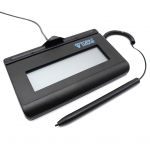
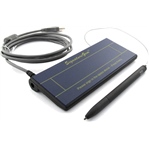
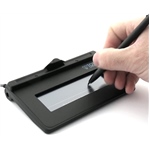
- SignPack supports all Topaz Systems and Interlink Electronics signature pads

Scan this QR code and see this product on your Smartphone with our Aptika Mobile App.
Ask our experts! (800) 943-2341


